
Content checklist
After you add your content to the CMS, a checklist helps you find missing information that could block or delay your guide's review and launch.
The checklist covers basic information that is required for all guides, but it does not review for quality, structure, or strategy. Your onboarding manager and editing team will give detailed feedback and recommendations about your guide’s specific goals and launch plan.
Check for missing information
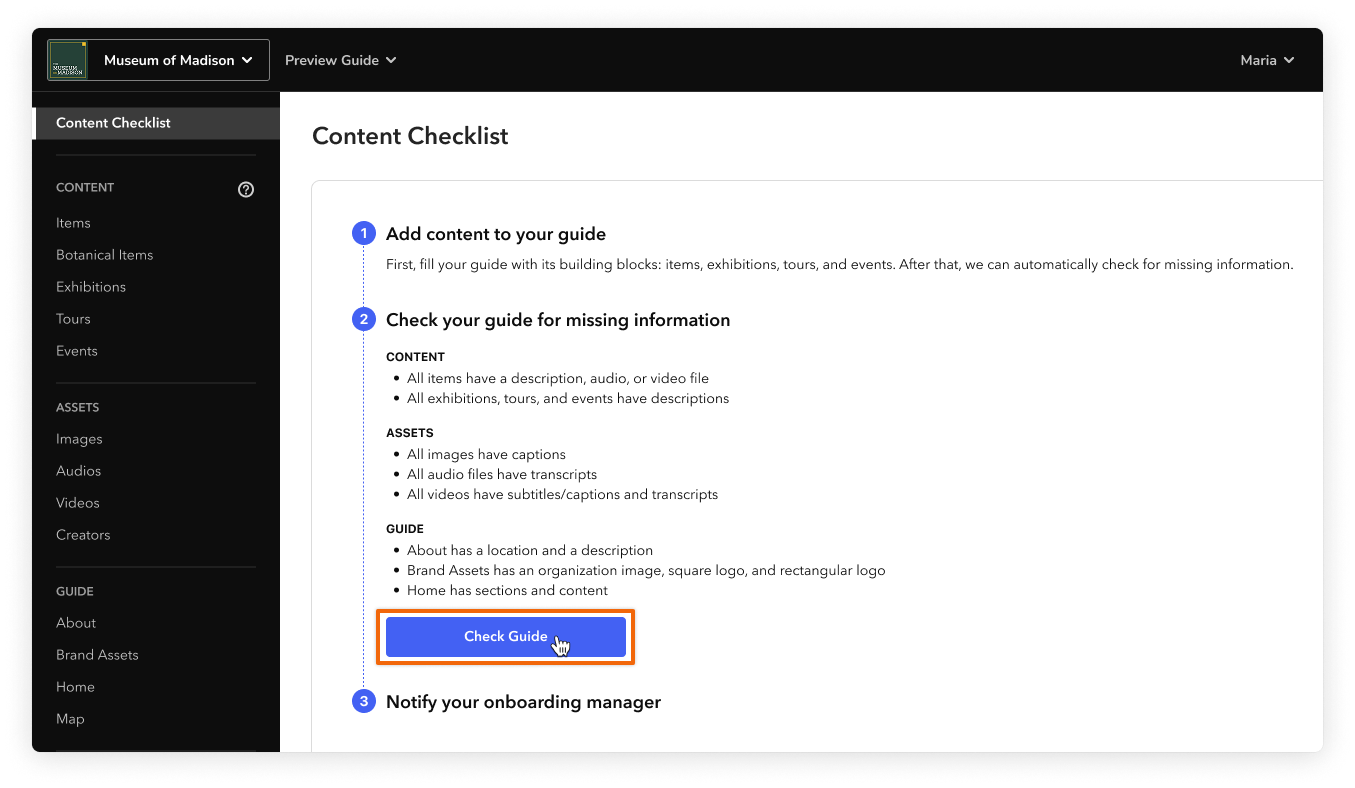
When you feel like your guide is in a good state, you can check for missing information. After you click Check Guide, the checklist automatically reviews all existing content, both draft and published. It also reviews any new content that you add later.
The checklist and any open recommendations disappear after your guide launches.
Steps
-
On the Content Checklist page, click Check Guide.
-
Review the list of missing information. You can click any of the links to jump directly to a page with issues.
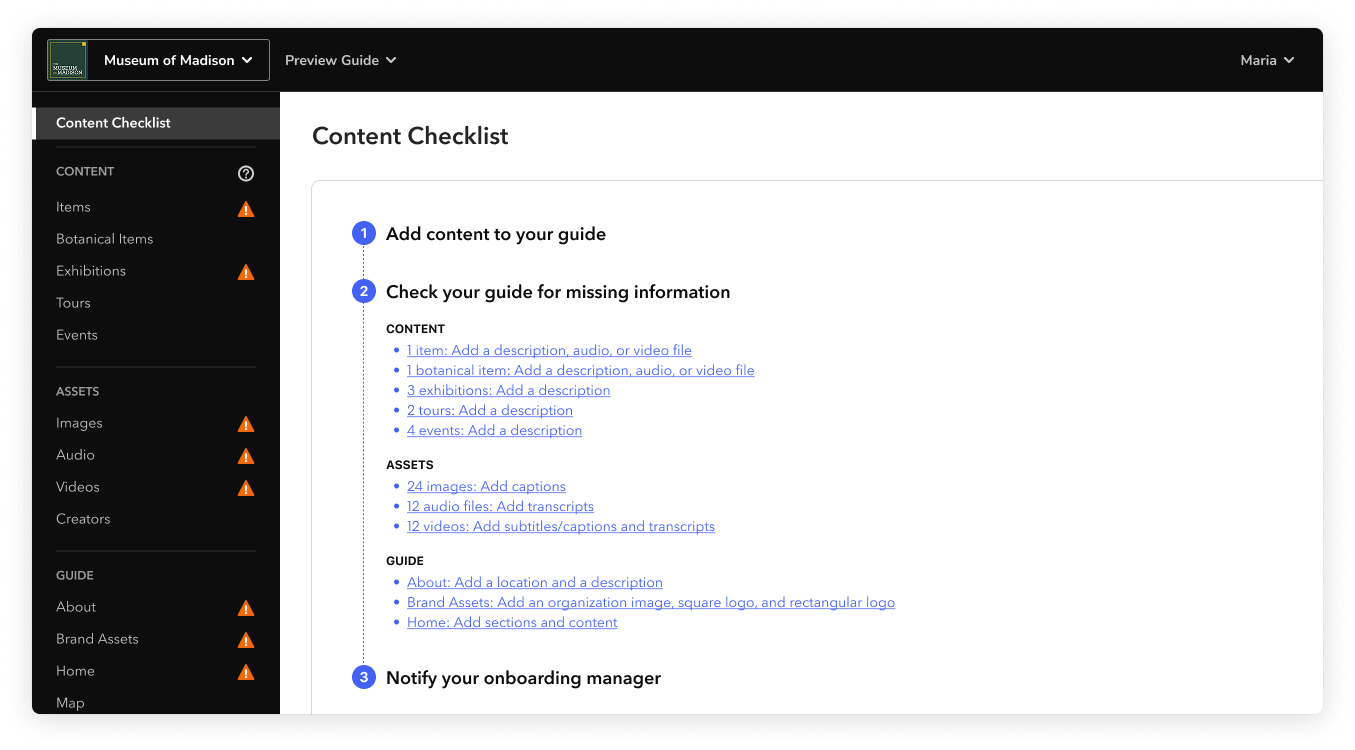
As you resolve issues, the warning icons disappear and the checklist updates.
-
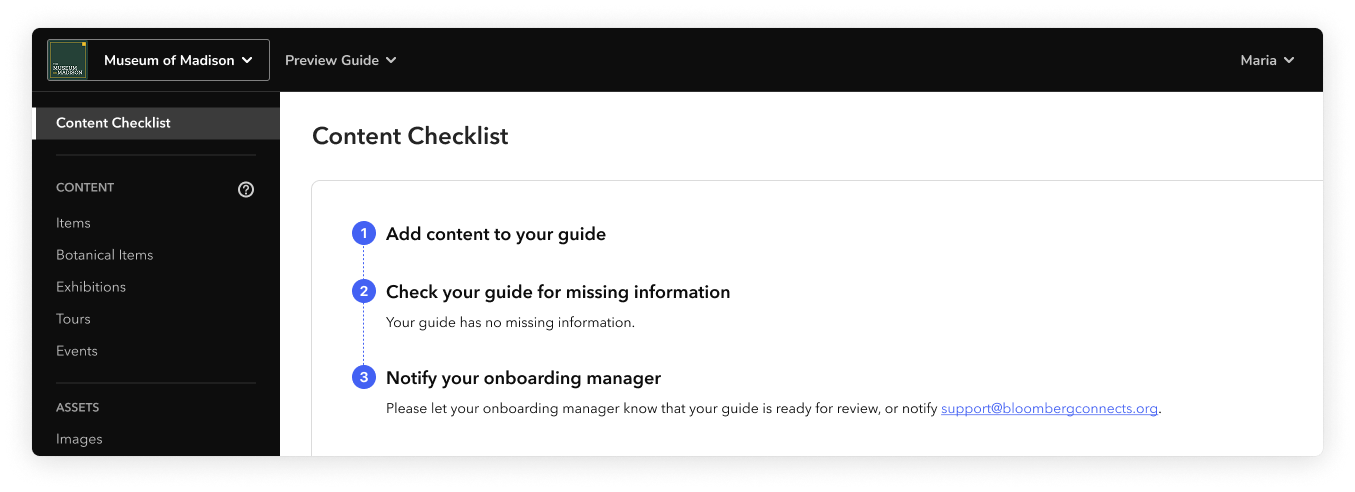
After you check your guide and add content where you can, tell your onboarding manager or support@bloombergconnects.org that your guide is ready for review.
Criteria
The checklist reviews for the following:
- All items have a description, an audio file, or a video file
- All exhibitions, tours, and events have descriptions
- All images have captions
- All audio files have transcripts
- All videos have subtitles or captions, and transcripts
- About screen has a location and a description
- Brand Assets screen has an organization image, a square logo, and a rectangular logo
- Home screen has sections and content
The checklist does not review for quality, structure, or strategy. Your onboarding manager and editing team will give detailed feedback and recommendations about your guide’s specific goals and launch plan.
Note: An incomplete checklist will not necessarily prevent you from launching your guide. Talk to your onboarding manager if you have any concerns.