Minimum content requirements
These requirements guarantee that your guide offers rich, relevant, and engaging experiences for your visitors. In addition to these requirements, make sure all of your content follows the rules and guidelines of your Style Survey.
Summary of requirements
- Seven pieces of meaningful, permanent audio content.
- Hours, addresses, and a brief introduction to your organization.
- A “Plan Your Visit” section with accessibility information.
- An exterior map and an interior map.
- Content that offers a layer of meaningful interpretation.
- Professional-quality visual assets.
- Audio and video content that meets Connects accessibility standards.
- Content that meets Connects Sensitivity Guidelines.
Content requirements
1. Permanent audio content
- Every guide must include at least one permanent experience with at least seven pieces of audio that offer interpretations, not just descriptions. This can focus on collection highlights, architecture and history, or other content that doesn’t expire. For more information, see the articles in Audio guide resources.
- Interpretive content should be of consistent depth and quality.
- See examples
2. Hours and info
- Provide hours and addresses for all sites mentioned in your guide, including any seasonal hours.
- Include a brief description of your organization. What makes you unique? What should people see when they visit?
- Closures: If your institution is temporarily closed for some reason (seasonal, renovations, etc.), note this here. Let people know how they can still engage with your organization.
- See examples
3. "Plan Your Visit" and accessibility information
- A "Plan Your Visit" section should include critical information for visiting.
- Accessibility information should be easy to find in the "Plan Your Visit" section on your home screen. This information must address relevant aspects of physical access and content accessibility.
- If a site is not accessible, this must be clearly communicated.
- Ensure that accessible content is available inside the guide, not via an external link.
- See examples
4. Maps
- Your guide should include an exterior map that shows the location of your institution.
- On the exterior map, any off-site locations should include the street address. Put this address in the "Location Name" field within the map pin. (This field is limited to 34 characters, so may require abbreviations.)
- An interior map should include dedicated pins for current and ongoing exhibitions.
- Each map pin should include a Location Name that describes the room, area, or site.
- Don't repeat Item or Exhibition titles in the Location Name of a map pin. You can hide a Location Name with [square brackets] if it doesn't add meaningful information for visitors.
- See examples
5. Content
- All Items and Exhibitions should include text, audio, or videos that offer meaningful interpretations, not just descriptions.
- Content throughout your guide should be original, and should not repeat in different sections.
- Exhibitions should include at least three items.
6. Visual assets
- All images should be professional quality, high resolution, and include captions.
- Logos must be high resolution and appropriately cropped.
- Images should properly cropped for thumbnails and hero images.
- Captions need to clearly identify what is featured in the image, and can't repeat item titles.
- Captions should be formatted consistently.
- See examples
7. Audio and video content
- All audio files need transcripts.
- All videos need transcripts and subtitles.
- Audio and video titles should be clear, specific, and identify the core subject of the clip (person, artwork, concept, etc.). Avoid repeating the Item title.
- Audio descriptions aren't required if there is other interpretive content in the Item. If audio descriptions are used, they should add meaningful context.
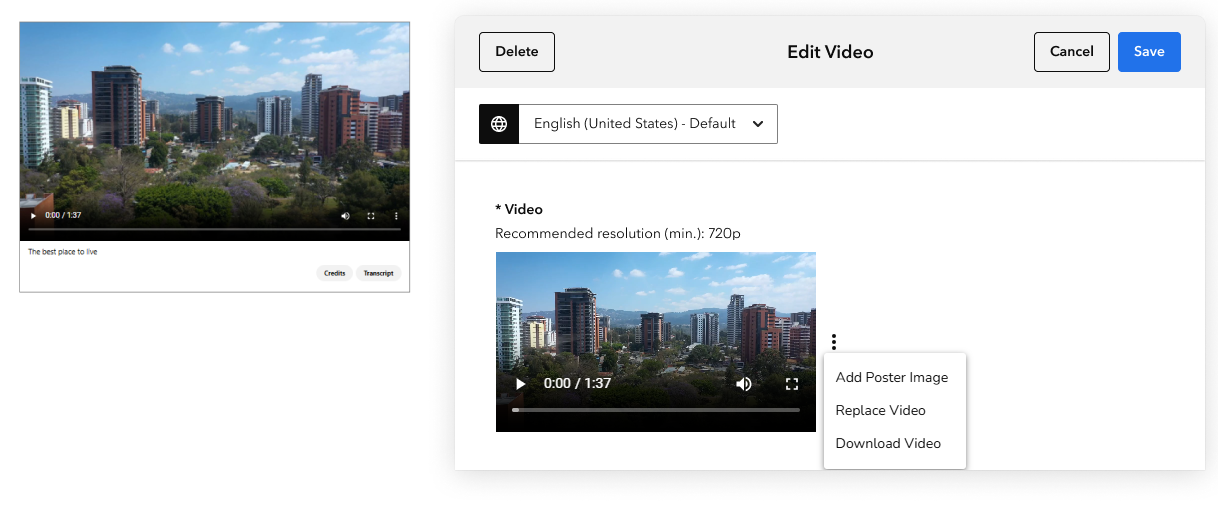
- Videos should include a poster image that is clear, legible, and appropriate.
- See examples
8. Sensitive content guidelines
Certain types of content are likely to be flagged during Content Review. Please discuss with your Onboarding Manager if you intend to include any of the following:
- Text or images referring to guns or violence.
- Text or images referring to cigarettes or smoking.
- Mentions of other apps or on-site devices that provide audio tours.
- Links to commercial services (e.g., transport, restaurants, merchandise).
Formatting tips and best practices
- Each Home section should include no more than five pieces of content.
-
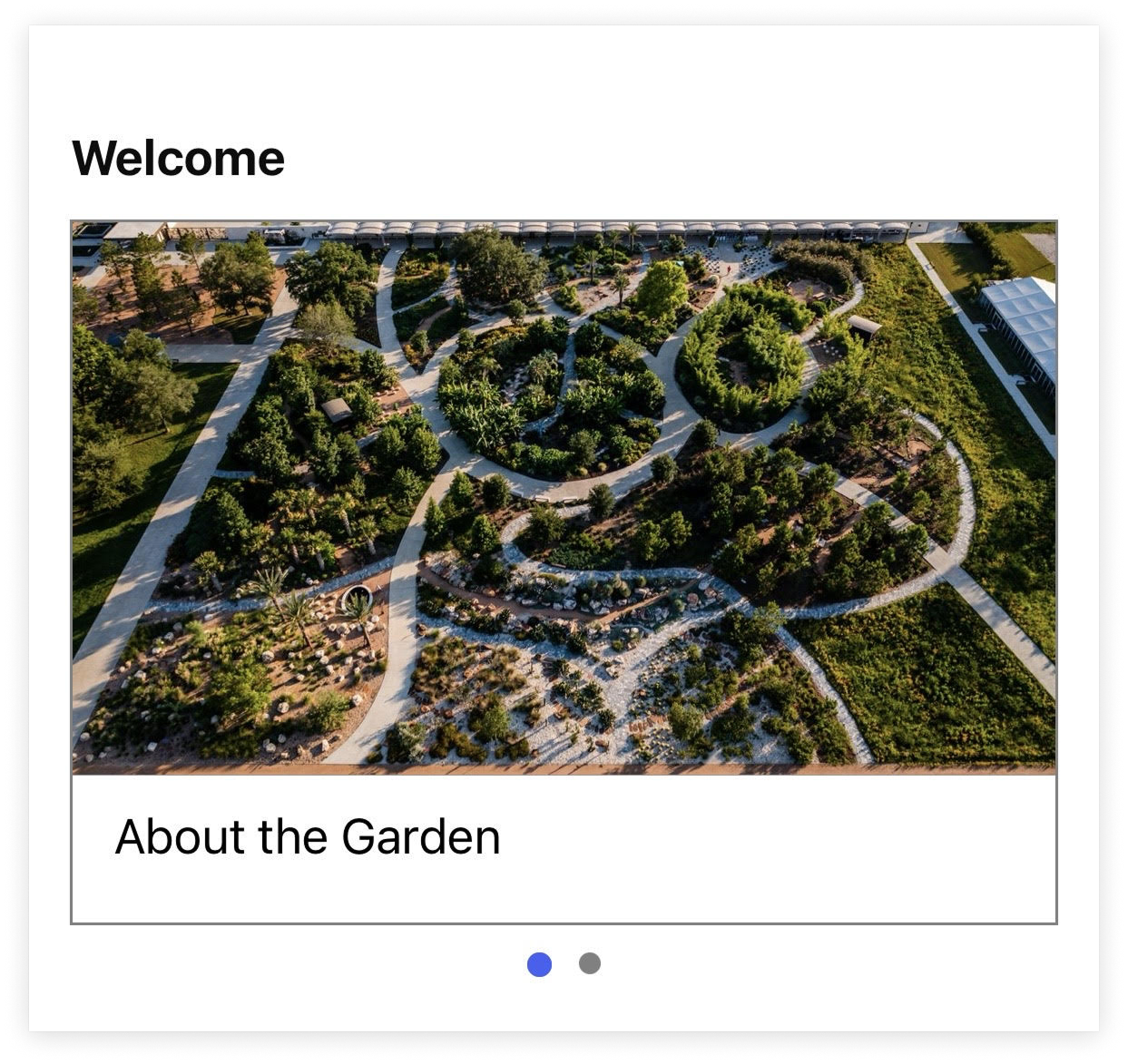
Home section titles shouldn't repeat the titles of content within them. The item below is a good example of diverse titles for the Section Title and Item Title.
-
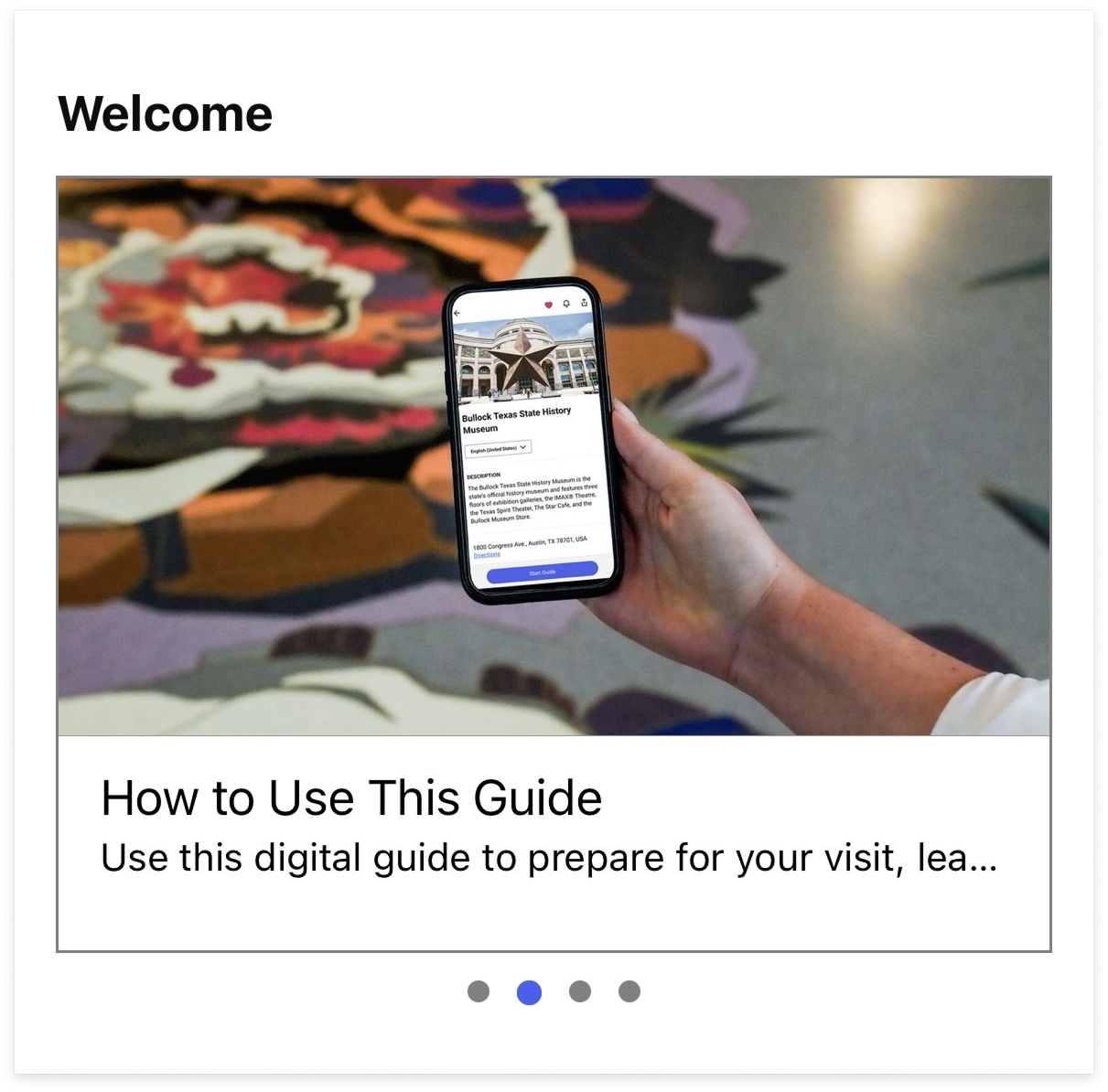
If Secondary Titles in Items appear on the Home screen, they should fit without getting cut off, unlike the image below.
-
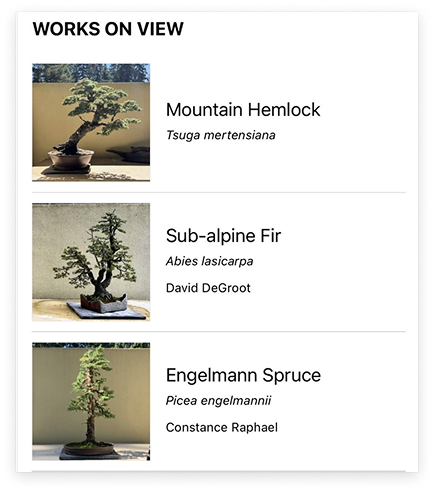
Secondary Titles should be formatted consistently across the guide. The image below shows Secondary Titles used for scientific plant names.
-
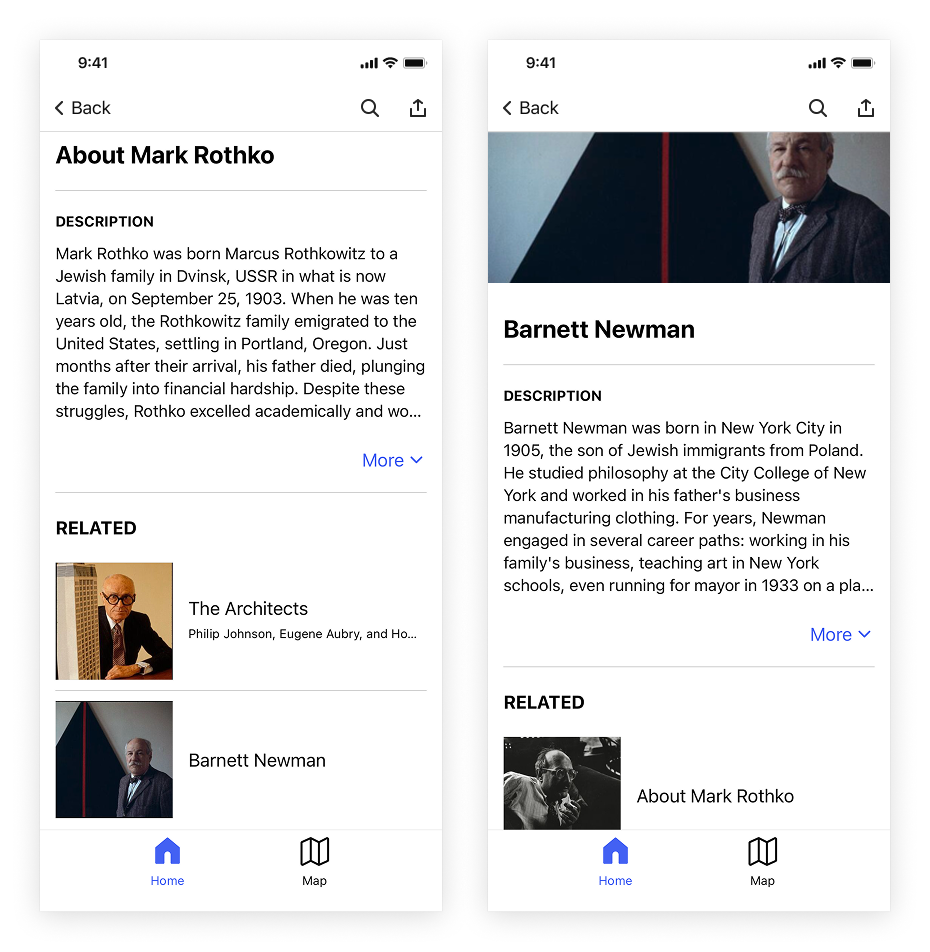
Don't link Related Items to each other. In the "About Mark Rothko" and "Barnett Newman" Items shown below, each Item lists the other as a Related Item. This content loop creates an inconvenient visitor experience.
- Include Lookup numbers or QR codes, especially for Items with audio or videos.
Examples
Permanent audio content
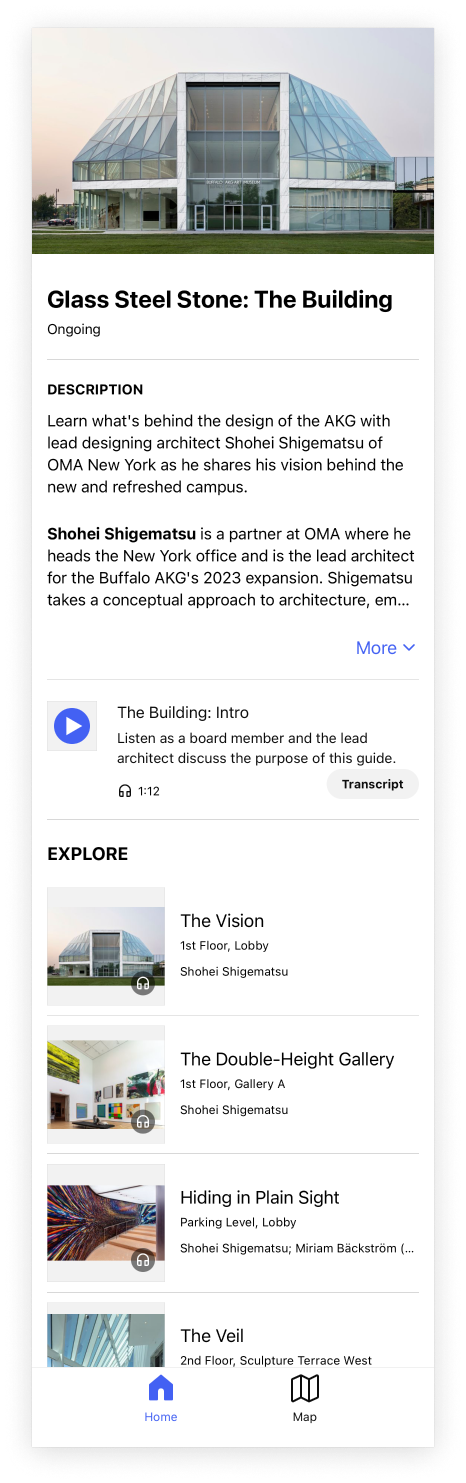
From the Buffalo AKG guide: an audio exhibition about the building’s architecture with 9 tracks.
Hours and info
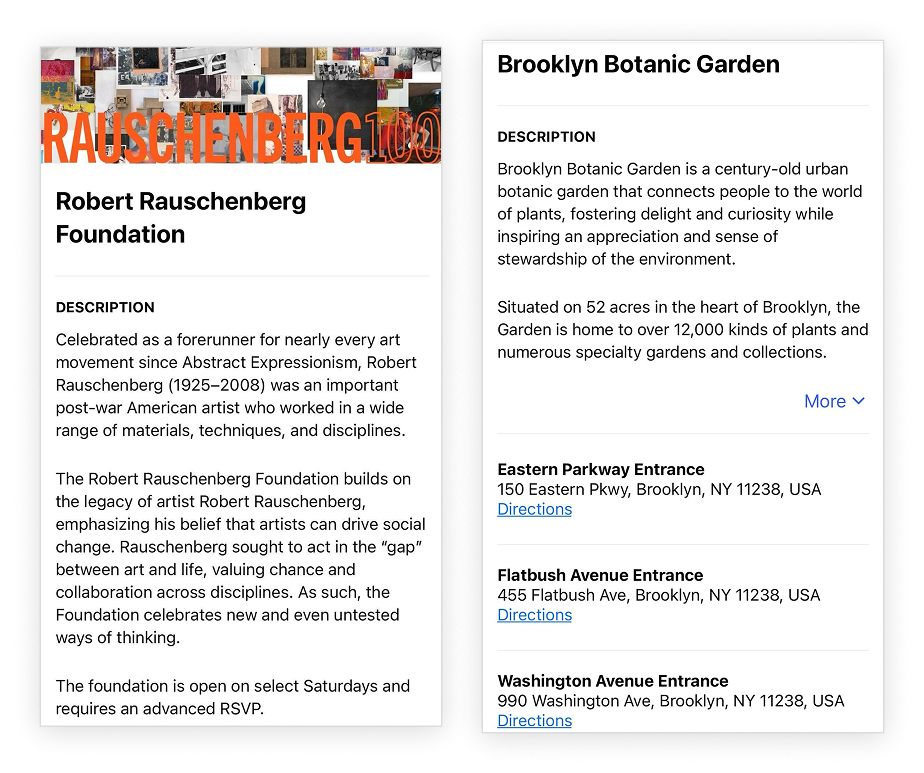
The Robert Rauschenberg Foundation notes that it has variable hours and the Brooklyn Botanic Garden notes multiple entrance addresses in their respective Hours & Info sections.
"Plan Your Visit" and accessibility information
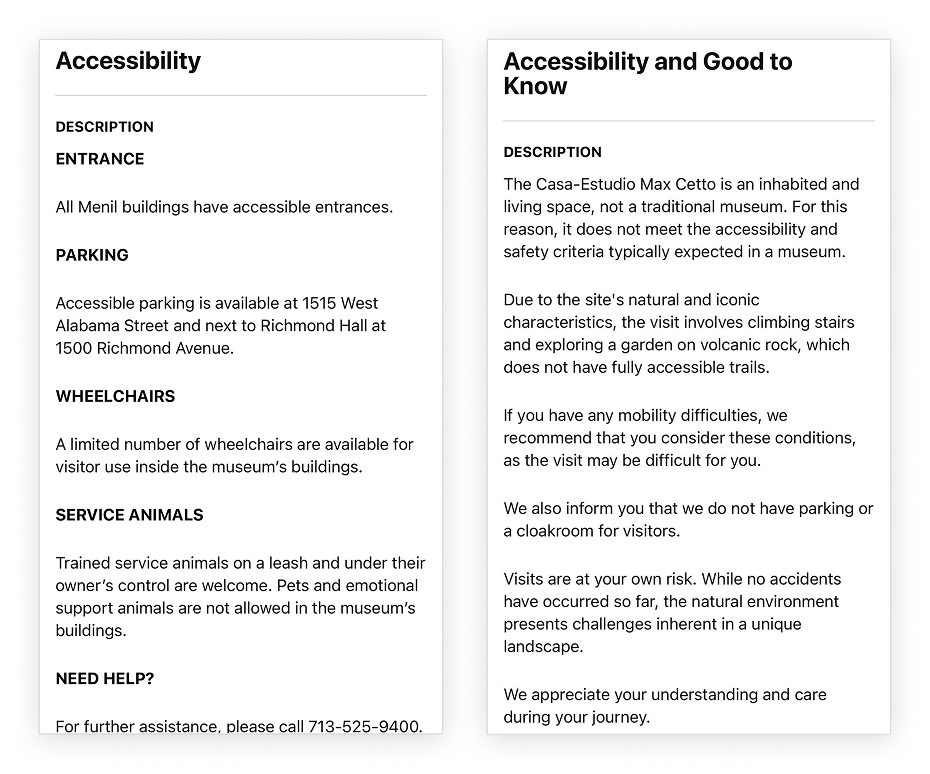
The Menil Collection is a good example of noting various aspects of accessibility.
Maps
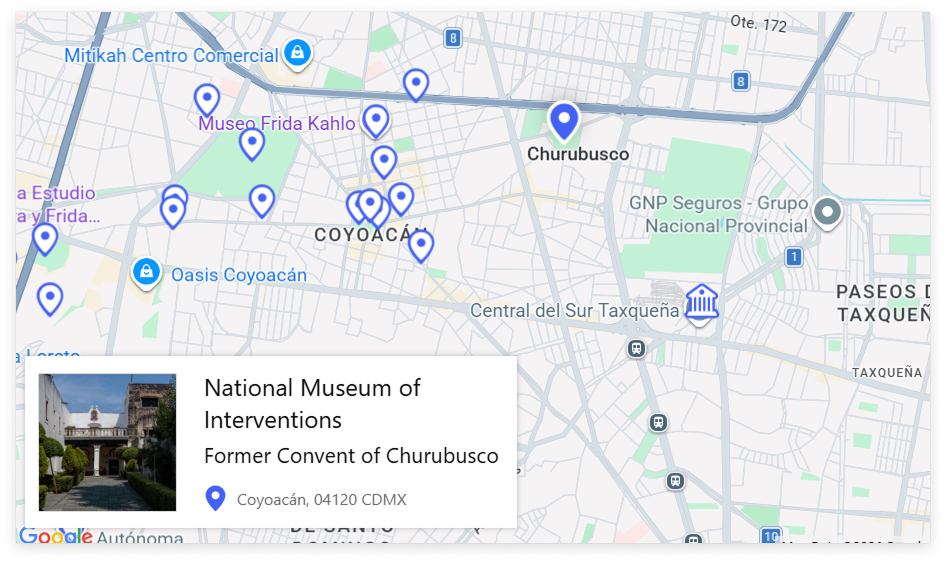
From the CDMX guide, which documents the location of various cultural sites around the city, each pin location on the exterior map includes its street address.
Visual assets
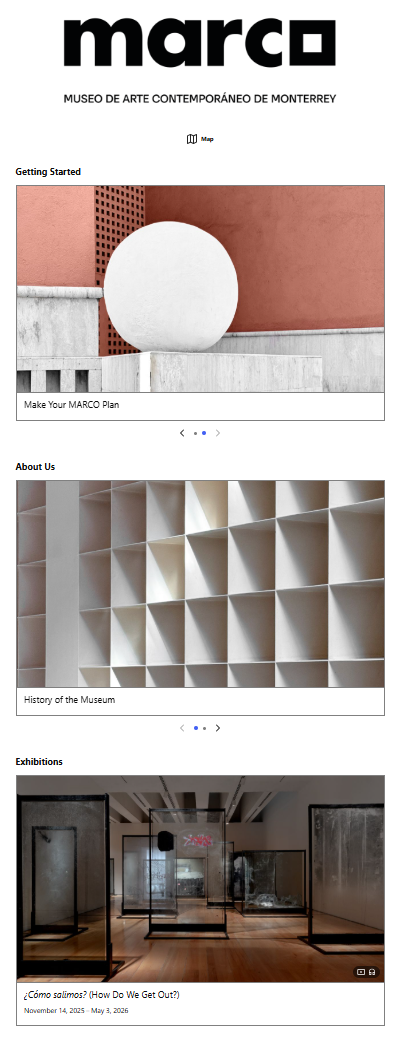
The MARCO guide is a good example of cropped images that fill the hero area on the Home screen.
Audio and video content
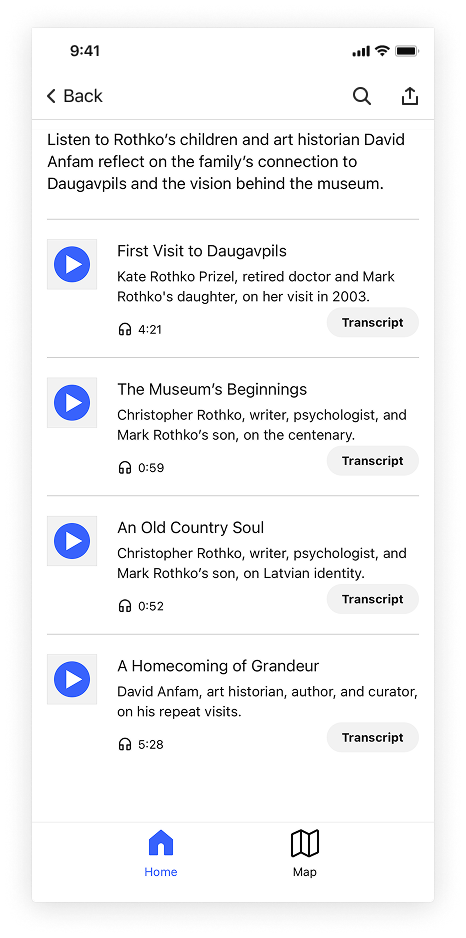
The Rothko Museum’s audio clips are great examples of well-written and clear audio titles and descriptions.
The video (left) below includes a poster image that fills the screen and is an image of the featured artwork. The screenshot (right) below shows where in the CMS you can adjust this if necessary.