
November 2026
Featured update: A better way to manage your maps
It's now easier to keep your guide's map in sync with the objects and exhibitions you have on view, so that visitors can find your content.
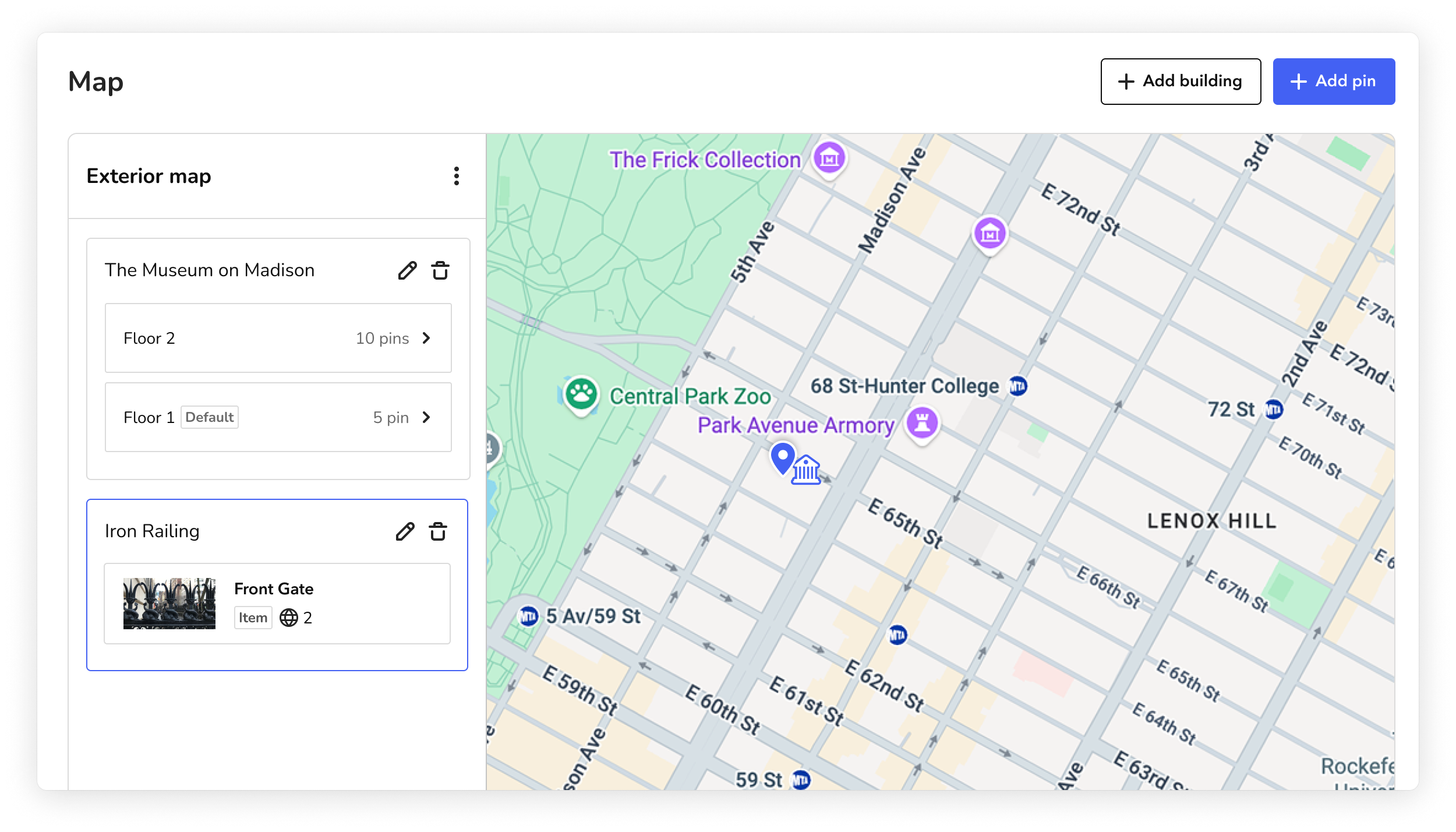
Highlights:
- Pin list: On the Map screen, a new panel next to the map lists every pin on a floor. And on the map, pins with content appear in blue, and empty pins appear in gray.
- Move pins: You can move a pin to a different floor or to the exterior map without deleting and recreating it.
- Faster building setup: You can add and organize floor plans right in the building form.
- Exterior map: You can place buildings and pins by street address. When you're editing the exterior map, the panel lists your outdoor pins and buildings together.
- Map column: On the Items, Tours, and Exhibitions screens, a new Map column shows which content is attached to a pin.
For a refresher on how to manage maps in Bloomberg Connects, start with Introduction to maps.
CMS updates
- Google Translate now translates the "Relationship Type" field on related content.
- Google Translate now translates the pin names on your maps, so visitors can read them in their language. Text that is part of the map image file is not translated. To request an updated map, reach out to the Bloomberg Connects marketing team.
- Now you can update sharing permissions for many images, audio files, and videos at once. When you allow Bloomberg Connects to use your files on our digital channels, it's easier for us to plan our content calendar and feature your work. For more, see Promotion on @BloombergConnects channels.
App updates
- This month, we’re testing a new way for visitors to find content by lookup number. Instead of being prompted to enter a lookup number in the main search field at the top of a guide, some visitors will see a dedicated lookup button. We’ll compare how the two versions perform before deciding whether to make the new option available more broadly.