
Pre-visit promotion
When visitors download Bloomberg Connects before they visit, they can use the app to plan their trip. This also gives them a smoother on-site experience. Below are some ideas on where and how to promote your guide to visitors before they arrive on-site.
Website
Create a dedicated Bloomberg Connects space
We recommend creating a space on your website dedicated to your Bloomberg Connects guide. Our data shows that dedicated web pages have the highest conversion rates of any marketing tactic, because people who visit your website are actively planning their in-person visit.
Tips:
- Name the page "Free Digital Guide" or "Digital Guide to [Your Organization]" (instead of "Bloomberg Connects")
- Describe what Bloomberg Connects is and how to access or download it
- Add information about content in your guide
- When possible, preview your content with images that show the app in use, or with screenshots of your guide
- In addition to a tracking link, include a QR code to provide desktop users with a seamless way to download the app
- Link to your page from emails, e-tickets, social media posts, and other pages on your website
We link to your dedicated page from bloombergconnects.org. This helps search engines find your page and sends more people to your site.
Tip: We don't recommend including direct links to the App Store and Google Play Store, because we can't track the performance of those links. The tracking links that we provide take visitors to the right store for their device.
Examples of dedicated pages
Sample text
Below is some sample text that you can use to create a dedicated web page about your guide. You can customize this text.
Explore [YOUR MUSEUM] with our free digital guide available through Bloomberg Connects! Our guide takes you behind the scenes with exclusive multimedia perspectives from artists, curators, and more [Adjust with your own info].
Our digital guide features:
-
[UPDATE WITH INFORMATION ABOUT YOUR GUIDE]
Over [TK] works from [OUR MUSEUM]’s collection
- [Specific content from featured exhibition]
- [Content from past exhibitions and/or special initiatives]
- Multilingual capabilities available through Google Translate
- Best-in-class accessibility:
- Including screen reader support, zoom, font size adjustment, transcripts, subtitles, alt-text, and more
- Verbal description tours [if applicable]
- ASL content [if applicable]
Get the digital guide
While visiting, use the on-site signage promoting our Bloomberg Connects digital guide to access our content instantly from the palm of your hand—no download necessary.
Can’t wait?
Want to preview our collection or upcoming exhibitions before your visit? You can download the free Bloomberg Connects app now to plan your trip and map out your unique experience. With the Bloomberg Connects app, you can explore hundreds of museums, galleries, sculpture parks, gardens, and cultural spaces around the world. Start exploring! (Hyperlink “Start exploring!”)
Where to place your dedicated page
When thinking about your web experience, consider places on your site where people are actively looking for information to help plan their visit. For example, consider linking to your dedicated Bloomberg Connects page from these places on your website:
- Home page: When possible, highlight your guide on your website's home page.
- "Visit us" section: Mention Bloomberg Connects where people are going to get ready for their in-person visit.
- Exhibition pages: Include a note about the exhibition content available in your guide.
- Ticketing pages: Mention your digital guide to people who are buying a ticket or reserving a time slot, and explain how it can improve their visit.
- Website footer: Include a static link or banner near newsletter sign-ups, social media links, and other key reference information about your organization.
Website graphics
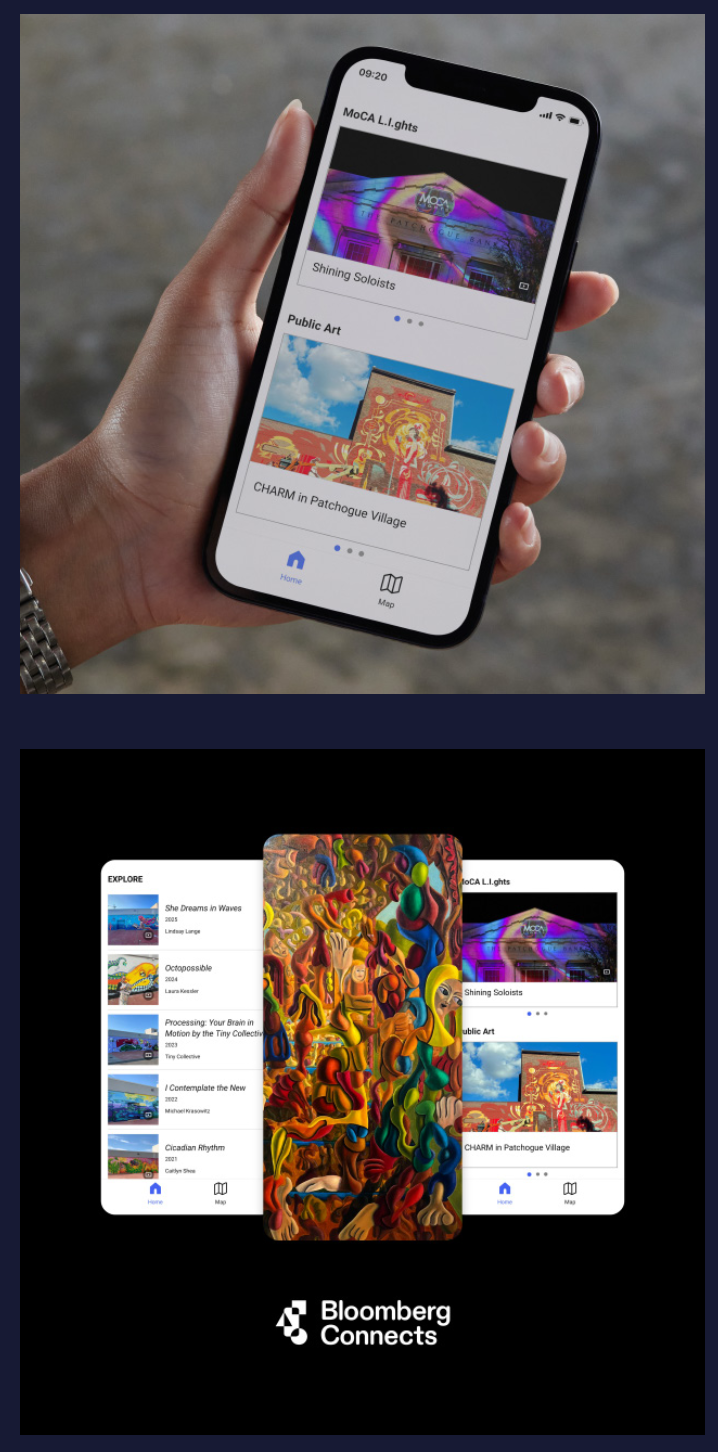
The Bloomberg Connects marketing team can create the following graphics for your website. The screenshot in the phone will be one from your own guide.
Email marketing
Email is a great channel to announce your guide launch and to promote your guide over time. As you develop your email plan, consider all the lists that you regularly send email to, and the different types of placements that you can use.
Tips:
- Announce your launch with a dedicated email that provides more detail about your guide content.
- Mention your guide in each newsletter after your launch, especially if you’ve added new content.
- Integrate Bloomberg Connects into your email footer to reinforce that it is a great resource.
- Consider sending a message to all of your internal and external email lists, for example, members, staff, board of directors, artists and artist estates, corporate partners, and students.
If you draft a dedicated email, we can provide you with a dedicated tracking code. For all other email communications, we recommend linking to your dedicated Bloomberg Connects landing page.
Sample email text
Below is some sample text that you can use in newsletters or in a dedicated announcement email.
Subject line:
- Explore [Our Museum] with Bloomberg Connects
- Announcing [Our Museum]’s Digital Guide
- [Our Museum], now on Bloomberg Connects!
Preview Line: Explore [the museum/garden/house/park] with Bloomberg Connects!
Body:
We are thrilled to announce that [Our Museum]’s new digital guide is available for free through Bloomberg Connects! Launched in conjunction with [featured exhibition or event], our guide takes you behind the scenes at [Our Museum] with exclusive multimedia perspectives from artists, curators, and more.
Guide highlights include [Specific content from featured exhibition], [content from past exhibitions and/or special initiatives], and in-depth information on over [TK] works from our collection, with new content added regularly. Multilingual capabilities available through Google Translate.
[Subhead] Get the digital guide!
While visiting, use the on-site signage promoting our Bloomberg Connects digital guide to access content instantly from the palm of your hand—no download necessary.
Can’t wait? Want to preview our collection and upcoming exhibitions before your visit? You can download the free Bloomberg Connects app now to plan your trip and map out your unique experience. With the Bloomberg Connects app, you can explore hundreds of museums, galleries, sculpture parks, gardens, and cultural spaces around the world. Start exploring! (Hyperlink “Start exploring!”)
Sample newsletter text
Headline: Explore [Our Organization] with Bloomberg Connects!
[Our Museum]’s new digital guide is available for free through Bloomberg Connects! Launched in conjunction with [featured exhibition or event], our guide takes you behind the scenes with exclusive multimedia perspectives from artists, curators, educators, and more.
While visiting, use the on-site signage promoting our Bloomberg Connects digital guide to access content instantly from the palm of your hand—no download necessary. Can’t wait? Want to preview our collection and upcoming exhibitions before your visit? You can download the free Bloomberg Connects app now to plan your trip and map out your unique experience. With the Bloomberg Connects app, you can explore hundreds of museums, galleries, sculpture parks, gardens, and cultural spaces around the world. Start exploring! (Hyperlink “Start exploring!”)
E-tickets/tickets
Let your visitors know that they can have a better on-site experience with Bloomberg Connects. On your e-tickets and email confirmations, mention Bloomberg Connects and include a link, a QR code, or both. Inform visitors that they can use the app to help plan their visit and prepare for the deeper on-site experience when they arrive.
If you can add a mention of Bloomberg Connects to your e-tickets, we strongly recommend that you link to your dedicated Bloomberg Connects landing page.
Note: The Bloomberg Connects app does not offer ticketing services.