
Download a promotional QR code
You can download a QR code to send people directly to your guide's home screen. You can use this code on your website, digital channels, or promotional signs.
Tip: When you download your promotional QR code, you also get a link. You can use the link with the code, or instead of it.
For more on using QR codes to help visitors find specific content in your guide, see Lookup QR codes. For help verifying that your QR codes will take visitors to the right place, see Testing your QR codes.
Steps
-
At the bottom of the About page, click Download Guide QR Code.
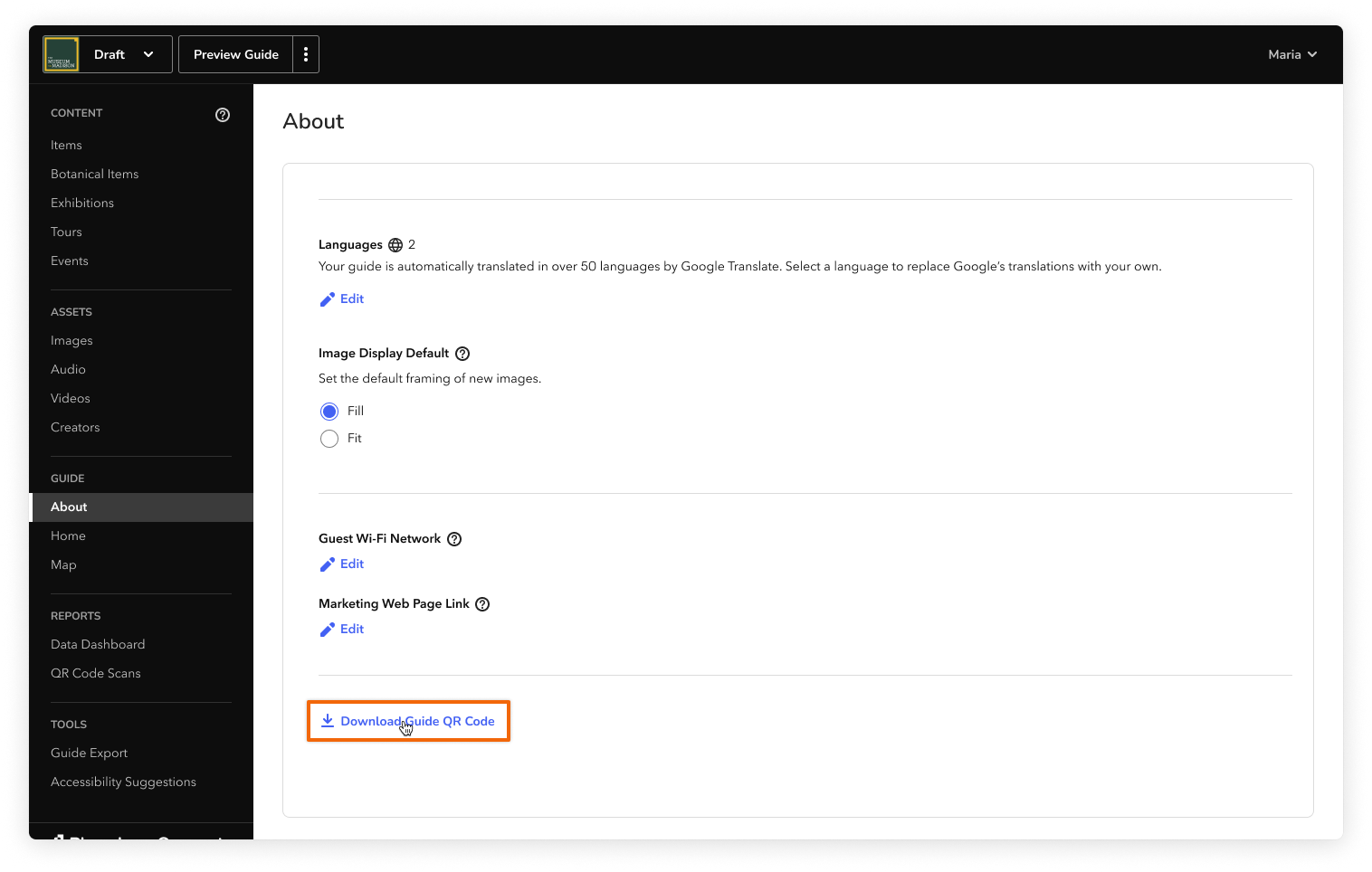
-
In the window that appears, select how you want to use the code (for example, Digitally: Website). Then click Download QR Code.
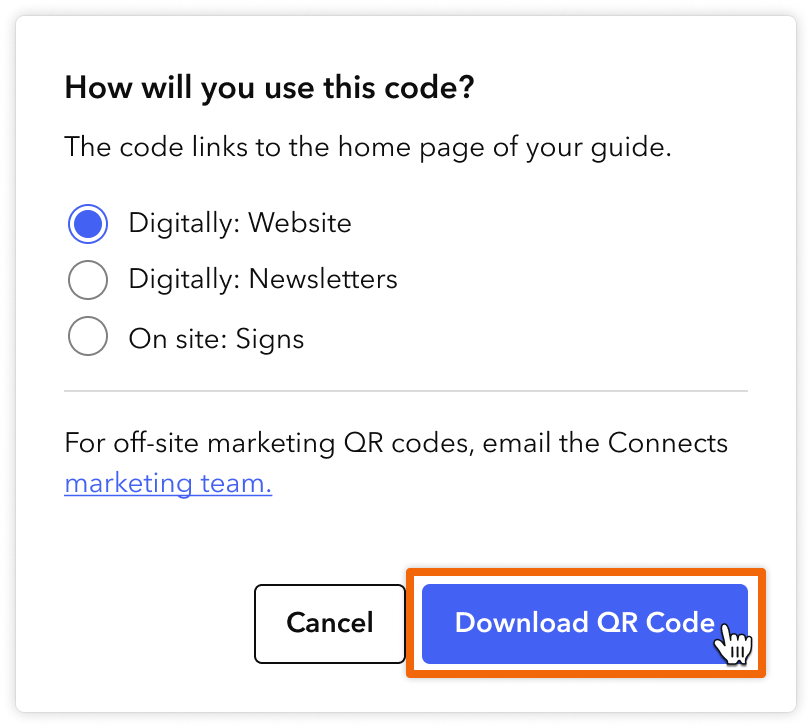
Note: All of these options create a code that links to your guide's home screen, but each code includes its own usage tracking details. To keep your usage data accurate, make sure you don't use the same code for several purposes.
If you need a QR code for more than one purpose, download a separate code for each purpose. Each time, select how you want to use the code.
A zip file is downloaded onto your computer. The zip file contains two variations of your guide QR code (white QR code and black QR code, both on transparent backgrounds) and a CSV file with details. The CSV file includes a link that you can use instead of or in addition to the QR code.
Reach out to the Bloomberg Connects marketing team for the following:
- Questions about QR code usage
- Requests for other marketing materials (for example, bookmarks, postcards, and other printed materials)
- Requests for more specific QR code titles. These help you tell your promotional QR codes apart in your QR code scans report