
Close past exhibitions
When a show in your physical space closes, you can clean up your guide to remove references to the physical location of the objects. Closing an exhibition is the best option for content that is no longer on view in your physical space, but that you want to keep as a digital-only experience. For example, you could list closed shows in a “Past Exhibitions” section on your Home screen.
Impact of closing an exhibition
When you close an exhibition in Bloomberg Connects, these things happen:
- Removes the lookup numbers for the exhibition and all child items. You can use the lookup numbers for other content.
- Removes the map location from the exhibition and all child items. The map pins themselves are not deleted, so you can add new content to an old pin as appropriate. Pins without content are available in the CMS but don't appear in the app.
When you close an exhibition, these things don't change:
- Change any items added to the Related section of the exhibition, or any items that are used in other exhibitions (because another exhibition could still be on view).
- Remove the exhibition from its location on the Home screen (because you may want to keep the content and move it to a "Past Exhibitions" section yourself). If you want to completely remove an exhibition from your guide, you can unpublish it.
Close an exhibition
You can close any exhibition in your guide.
Steps
-
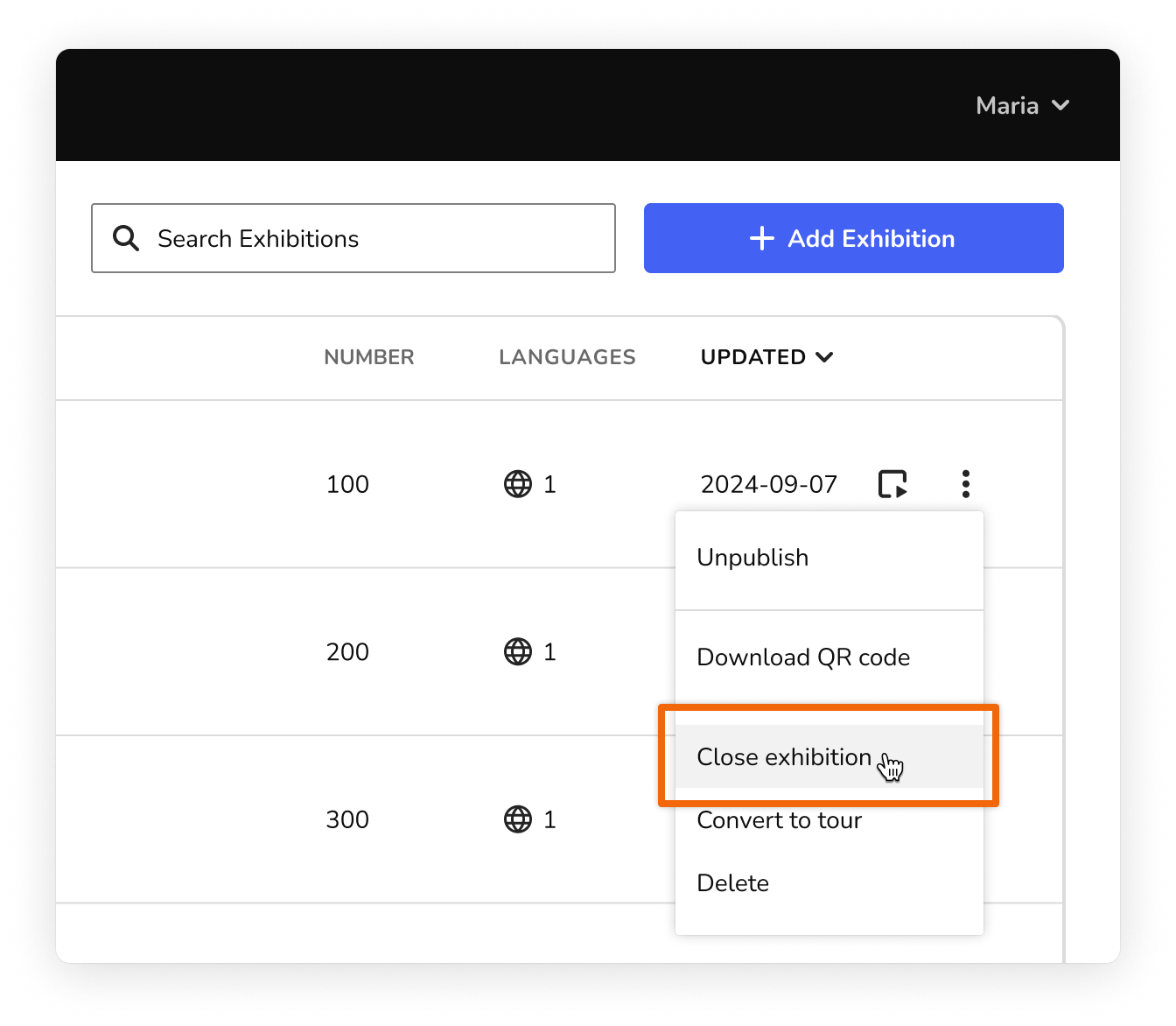
On the content grid, click the more actions menu (⫶) and choose Close Exhibition.
-
Confirm the details in the dialog that appears, then click Close Exhibition.
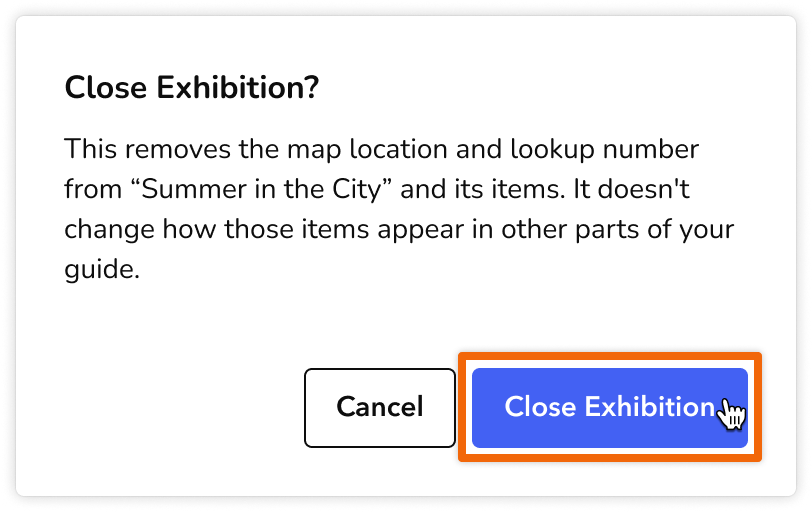
The exhibition is closed. The lookup numbers and map locations for the exhibition and its items are removed.